
The National Examination Board (NEB) has published the result of the Grade 12 Chance (Supplementary) Examination 2083 on 6th August 2026 (21st Shrawan 2083). The examination was conducted on Shrawan 2 and 3, 2083 (July 18 and 19, 2026), from 11:00 AM to 2:00 PM. Students can check their results through the official NEB and Nepal Telecom result services.
NEB Class 12 Grade Increment Result 2083
The National Examination Board conducted the Grade 12 Chance Examination across Nepal for students who were eligible to improve their grades. NEB published the result on Shrawan 21, 2083 (August 6, 2026). According to the official notice, 71,310 students participated in the examination, and 57,897 obtained grades in all subjects.
| Name of the Exam | Grade 12 Chance (Supplementary) Examination |
| Conducted by | National Examination Board (NEB) |
| Academic Year | 2083 BS (2026) |
| Exam Dates | Shrawan 2–3, 2083 (July 18–19, 2026) |
| Exam Time | 11:00 AM to 2:00 PM |
| Result Date | Shrawan 21, 2083 (August 6, 2026) |
| Students Eligible to Participate | 73,566 |
| Application Forms Submitted | 71,511 |
| Total Examinees | 71,310 |
| Obtained Grades in All Subjects | 57,897 |
| Grade-Obtained Percentage | 81.19% |
| Results Cancelled | 3 |
| Official Websites | neb.gov.np and neb.ntc.net.np |
Class 12 Supplementary Result Statistics
A total of 73,566 students were eligible to participate, while 71,511 submitted examination application forms. Out of 71,310 students who took the examination, 57,897 obtained grades in all subjects. This gives an overall grade-obtained percentage of 81.19%. NEB also cancelled the results of three examinees.
NEB Grade Increment Result 2083 Date
NEB conducted the examination on Shrawan 2 and 3, 2083. The result was officially published on Shrawan 21, 2083, corresponding to August 6, 2026.
| Event | Date |
| Grade 12 Chance Examination | Shrawan 2–3, 2083 (July 18–19, 2026) |
| Result Publication | Shrawan 21, 2083 (August 6, 2026) |
How to Check the Result Through SMS
Students can use Nepal Telecom’s SMS service when the result website is busy or unavailable.
- Open the messaging application on your mobile phone.
- Type NEB [space] Symbol Number.
- For example:
NEB 12345678. - Send the message to 1600.
- You will receive the available result details through SMS.
Details Mentioned on the Result
Students should carefully review the information displayed on the online result or gradesheet. Any error should be reported to the school or the relevant NEB office.
- Student’s name
- Symbol number
- Registration number
- Date of birth
- School name
- Subject codes and subject names
- Subject-wise grades
- Grade points
- Final grade or GPA
- Grade status
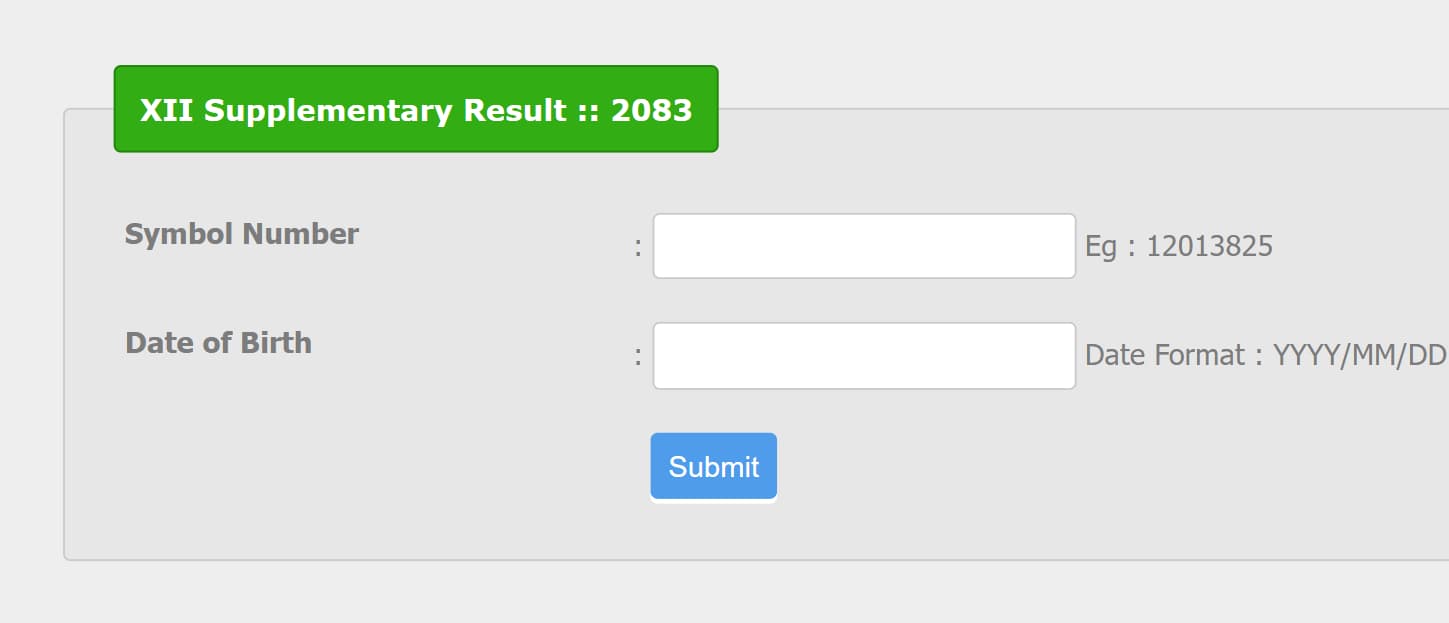
How to Check the Result on neb.ntc.net.np
Keep the correct symbol number and date of birth ready before opening the result portal.
- Visit the official result portal at neb.ntc.net.np.
- Open the Grade 12 result section.
- Enter the student’s symbol number.
- Enter the date of birth or other requested details.
- Click the submit or view result button.
- The available result and grade details will appear on the screen.
- Download or print a copy for future reference.
How to Check the Result Through IVR
Students can also use Nepal Telecom’s Interactive Voice Response service to listen to their result details.
- Dial 1601 from a supported Nepal Telecom phone.
- Follow the recorded voice instructions.
- Enter the symbol number when requested.
- Listen carefully to the available result details.
Retotaling Application
Students who are not satisfied with a subject grade can apply for retotaling through the NEB student portal. Applications can be submitted from Shrawan 25, 2083 at 1:00 PM until Shrawan 31, 2083 at 5:00 PM. The retotaling fee is Rs. 1,000 per subject.
NEB Class 12 Grading System
The gradesheet shows a letter grade and grade point for each subject. A subject with a score below the required threshold is shown as NG, meaning Not Graded.
| S.N. | Score | GPA | Grade | Remarks |
|---|---|---|---|---|
| 1 | 90 and above | 4.0 | A+ | Outstanding |
| 2 | 80 to less than 90 | 3.6 | A | Excellent |
| 3 | 70 to less than 80 | 3.2 | B+ | Very Good |
| 4 | 60 to less than 70 | 2.8 | B | Good |
| 5 | 50 to less than 60 | 2.4 | C+ | Satisfactory |
| 6 | 40 to less than 50 | 2.0 | C | Acceptable |
| 7 | 35 to less than 40 | 1.6 | D | Basic |
| 8 | Below 35 | – | NG | Not Graded |
Frequently Asked Questions
When was the Grade 12 Chance Examination 2083 conducted?
The examination was conducted on Shrawan 2 and 3, 2083, corresponding to July 18 and 19, 2026. The examination time was 11:00 AM to 2:00 PM.
When was the Grade 12 supplementary result published?
NEB published the result on Shrawan 21, 2083, corresponding to August 6, 2026.
How many students participated in the examination?
A total of 71,310 students participated in the Grade 12 Chance Examination 2083.
How many students obtained grades in all subjects?
A total of 57,897 examinees obtained grades in all subjects. The grade-obtained percentage was 81.19%.
Where can students check the result online?
Students can check the result through neb.gov.np or the Nepal Telecom result portal at neb.ntc.net.np.
How can students check the result through SMS?
Type NEB, add a space and enter the symbol number. Send the message to 1600.
How can students apply for retotaling?
Students can submit a retotaling application through exam.neb.gov.np/studentportal from Shrawan 25, 2083 at 1:00 PM until Shrawan 31, 2083 at 5:00 PM. The fee is Rs. 1,000 per subject.