
The SEE Result 2083 has been officially published on 11th May 2026 (28th Baisakh 2083), bringing relief to over 5 lakh students across Nepal. The result has been released by the National Examination Board (NEB), and students can now check their SEE Class 10 result online through the official result portals: see.ntc.net.np and see.gov.np/results.
According to the result record, the SEE 2083 pass percentage is 73%. Students can access their results by entering their symbol number and other required details. The SEE Class 10 examination was conducted by NEB from 2nd April 2026 to 12th April 2026.
SEE Result 2083
The National Examination Board (NEB) has announced the SEE exam result 2026 for Class 10. Check the following table for important dates and details related to the SEE Class 10 result:
| Name of the Exam | SEE Class 10 Examination |
| Conducted by | National Examination Board |
| Academic Session | 2082/2083 |
| SEE Class 10 Exam 2082 | 2nd April 2026 to 12th April 2026 |
| SEE Result Date | 28th Baisakh 2083 (11th May 2026) |
| Pass Percentage | 73% |
| Number of Students | Over 5 Lakhs |
| Official Website | see.ntc.net.np see.gov.np |
SEE.ntc.net.np Result 2083 Update
The SEE.ntc.net.np result 2083 has been released on the official website after the successful completion of the Class 10 examination. Students can check their results on the National Examination Board’s official websites: see.ntc.net.np and see.gov.np.
The SEE result is an important milestone for Class 10 students in Nepal. Candidates who pass the SEE examination will be eligible for admission to Class 11. A good GPA helps students choose their preferred stream and courses for further studies.
This year, over 5 lakh students appeared in the SEE Class 10 examination. As per the result record, the overall pass percentage is 73%.
SEE Result 2082/2083 National Wise Statistics
The National Examination Board has published the SEE Result 2082/2083 with national-level GPA statistics. According to the result data, a total of 430,667 students were included in the national SEE result record. Out of them, 284,160 students passed, while 146,507 students received NG. The overall pass percentage of SEE Result 2082/2083 is 65.98%.
In the GPA distribution, the highest number of students, 94,222, secured GPA between 2.80 to below 3.20. Similarly, 80,372 students scored GPA between 3.20 to below 3.60, and 42,892 students achieved GPA between 3.60 to below 4.00.
| S.N. | Grade Group | Total Students | Remarks |
|---|---|---|---|
| 1 | GPA 1.60 To < 2.00 | 7 | |
| 2 | GPA 2.00 To < 2.40 | 5,190 | |
| 3 | GPA 2.40 To < 2.80 | 55,777 | |
| 4 | GPA 2.80 To < 3.20 | 94,222 | Highest group |
| 5 | GPA 3.20 To < 3.60 | 80,372 | |
| 6 | GPA 3.60 To < 4.00 | 42,892 | |
| 7 | NG | 146,507 | Not Graded |
| Total | 430,667 |
SEE Result 2082/2083 Summary: Total passed students: 284,160, total NG students: 146,507, and total pass percentage: 65.98%.
When was the SEE Result 2083 published?
The SEE Result 2083 was officially published on 28th Baisakh 2083 (11th May 2026) by the National Examination Board. Students can check their results through see.ntc.net.np, see.gov.np, SMS, and IVR services.
How to Check SEE Result 2083 With Marksheet via SMS
Students can check their SEE results via SMS in addition to the official websites. Follow the steps below to check the SEE result with marksheet through SMS:
- Open the SMS application on your mobile phone.
- Type SEE [Symbol Number] (e.g., SEE 123456).
- Send the message to 1600.
- You will receive your result within a few minutes.
This method is quick and useful for students who want to check their SEE result without internet access.
Details Mentioned on Class 10 SEE Result
Students should carefully check all details mentioned on their SEE marksheet. In case of any error or discrepancy, they should contact their school or the NEB authorities. The SEE result usually includes the following details:
- Student Name
- Symbol Number
- Date of Birth
- Subject Code
- Subjects in the exam
- Total GPA
- Grade secured by the student
- Pass or NG status
NEB Grade System for SEE Result 2083
The National Examination Board follows the grading system below for SEE results. Students can check their grade, description, and grade point according to the percentage range.
| SN | Percentage (%) | Grade | Description | Grade Point |
| 1. | 90 to 100 | A+ | Outstanding | 4.0 |
| 2. | 80 to below 90 | A | Excellent | 3.6 |
| 3. | 70 to below 80 | B+ | Very Good | 3.2 |
| 4. | 60 to below 70 | B | Good | 2.8 |
| 5. | 50 to below 60 | C+ | Satisfactory | 2.4 |
| 6. | 40 to below 50 | C | Acceptable | 2.0 |
| 7. | 35 and above | D | Basic | 1.6 |
| 8. | Below 35 | NG | Unclassified | – |
SEE Grade Improvement Exam Result
- Students who receive a low grade in one or two subjects may get a chance to improve their grade through the grade improvement examination.
- The SEE Grade Improvement Exam 2083 will be conducted by NEB in Bhadra 2083.
- Students can register for the SEE grade improvement examination after the result has been announced by NEB.
- To pass the SEE supplementary exam, candidates must meet the minimum grade requirement set by NEB.
- Students who receive NG in more than the allowed number of subjects may need to appear again as per NEB rules.
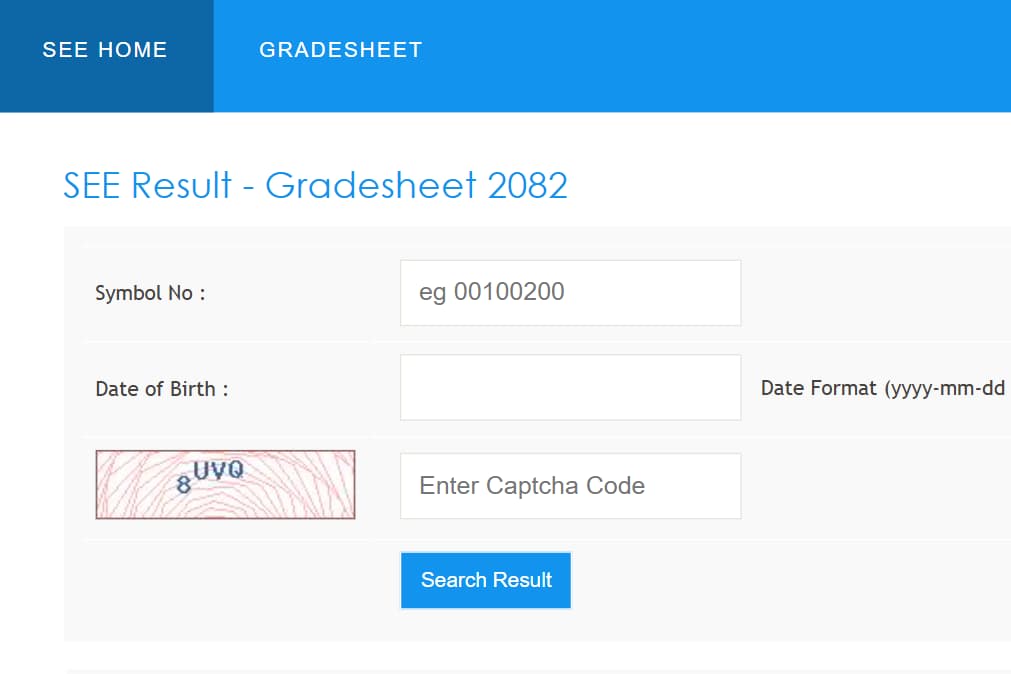
How to Check SEE Result 2083 With Marksheet on see.ntc.net.np
Students can follow these steps to check their SEE result along with the marksheet:
- Visit the official website: see.ntc.net.np.
- Find the SEE result section on the homepage.
- Enter your exam symbol number and date of birth in the required fields.
- Click on the Submit button.
- Your SEE marksheet will appear on the screen with your grades and GPA.
- Take a printout or screenshot of the result for future reference.
| SEE Result 2083 | Check here |
| SEE result homepage | Check here |
Frequently Asked Questions (FAQs) on SEE Result 2083
When was SEE Result 2083 published?
The SEE Result 2083 was officially published on 28th Baisakh 2083 (11th May 2026) by the National Examination Board.
Where can I check SEE Result 2083?
Students can check SEE Result 2083 on see.ntc.net.np, see.gov.np, and through SMS or IVR services.
What is the pass percentage of SEE Result 2083?
According to the result record, the SEE Result 2083 pass percentage is 73%.
What are the passing grades in the SEE Class 10 Exam 2083?
Students must obtain the minimum grade required by NEB rules to pass the SEE examination. Marks below 35 percent are marked as NG or Unclassified.